LEARN MORE ABOUT YOUR EQUIPMENT

HELP CENTER
NEED FURTHER ASSISTANCE?
Contact our knowledgeable office staff.
Call us
815.946.4389
What can you do here?
Get Answers To Your Questions FAST!
We have assemble articles, tips, how-to’s and product specifications in easy to navigate collected knowledge to get to where you need.

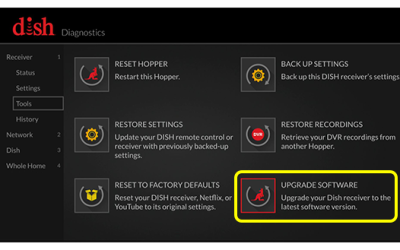
Hopper Software Update
Download Receiver Software This setting lets you download the most recent software version available to your receiver. If you already have the most...
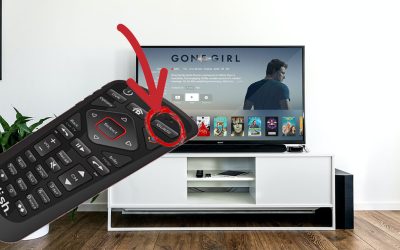
Renting A Movie on Dish Network
Article that show how to rent a movie or show through Dish Network using their On Demand or Pay per View using your remote control.
DISH Network Quick Tips
Program Remote to TV or Other Device
- Press the HOME button twice, or the MENU button once, depending on your remote
- Select Settings
- Select Remote Control
- Arrow to and select the device code you want to learn
- Select the appropriate Pairing Wizard for the device
- Follow the on-screen prompts
DISH Channel Lineup Cards
Your favorite show is about to start, but wait, what’s the channel number? Don’t worry – we’ve all been there. Download a print-ready channel lineup card to put on your coffee table and never forget again. Just Click Here.
Troubleshoot Missing Channels
This problem is typically caused by a misconfigured Program Guide or receiver errors.
It can also be caused by programming disputes. Click Here To Find Out.
Google Nest Quick Tips
Reboot Google Nest Home Speakers
Unplug your speaker or display
Unplug the power cord from your speaker or display.
Leave it unplugged for one minute.
Plug the power cord back in
Change Nest Thermostat Wi-Fi Network
Important: You’ll need access to your Nest Thermostat to update the network and password. You can’t update Wi-Fi information with the app.
In the Google Home app , tap your thermostat on the home screen.
Select Settings Device information.
Next to Wi-Fi, tap Change OK. The app will walk you through setting up Wi-Fi.
Blinking Yellow Light On Nest Doorbell
A blinking yellow light means that your Google Nest Doorbell (wired) or Nest Doorbell (wired) 2nd gen isn’t getting enough power. Your doorbell won’t be able to stream video or send you alerts, but it should continue to work as a regular doorbell.
You may need to upgrade the transformer that the chime’s wires are connected to. Contact a local HVAC professional or certified electrician to have them check the voltage and install a new transformer.